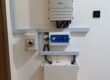
Growatt SPF 5000 ES Inverter – Felicity Lithium Battery Configuration
- Ensure your battery terminal cables (Pos +) and (Neg -) are connected to the respective battery terminals on the inverter.
- Connect the RJ45 cable to the BMS port of the inverter with the other end of the RJ45 cable to the COMM port on the battery.
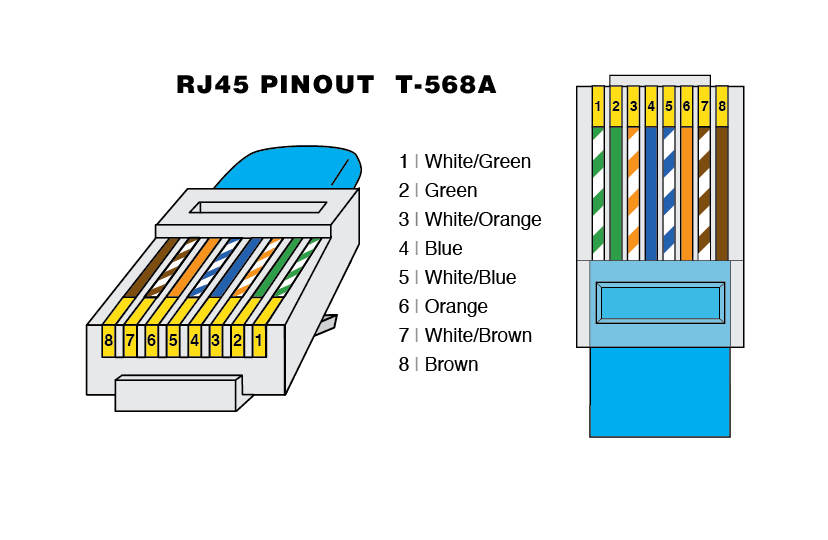
RJ45 CABLE CONFIGURATION
| PIN NUMBER | BMS PORT | COMM PORT |
| 1 | WHITE/GREEN | |
| 2 | GREEN | |
| 3 | ||
| 4 | ||
| 5 | WHITE/GREEN | |
| 6 | GREEN | |
| 7 | ||
| 8 |
 In order for the inverter to communicate with battery BMS, battery type should be set at “LI” in program 05.
- Then the LCD will automatically switch to program 36, which is the protocol code.
- There are many protocol codes which ranges from L01 to L99.
- The protocol code to be selected for Felicity lithium battery is L04.
Note: when these settings are done, program 12, 13 and 21 automatically switches to percentage.
Also, the maximum charge current cannot be modified by the user.
- Then proceed to program 21 and set the battery cut off Voltage as recommended by Felicity brand. For example, if the recommended DoD is 80% your setting in program 21 will be 20% or if the DoD of your battery is 95%, program 21 settings will be 5%.
Note: Ensure you use the DoD recommended by the battery brand.
Any questions relating to BMS communication with your Growatt inverters please reach out to Sygnite after-sale support team.